Cách sửa lỗi powerpoint can attempt to repair the presentation
Lượt xem:
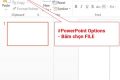
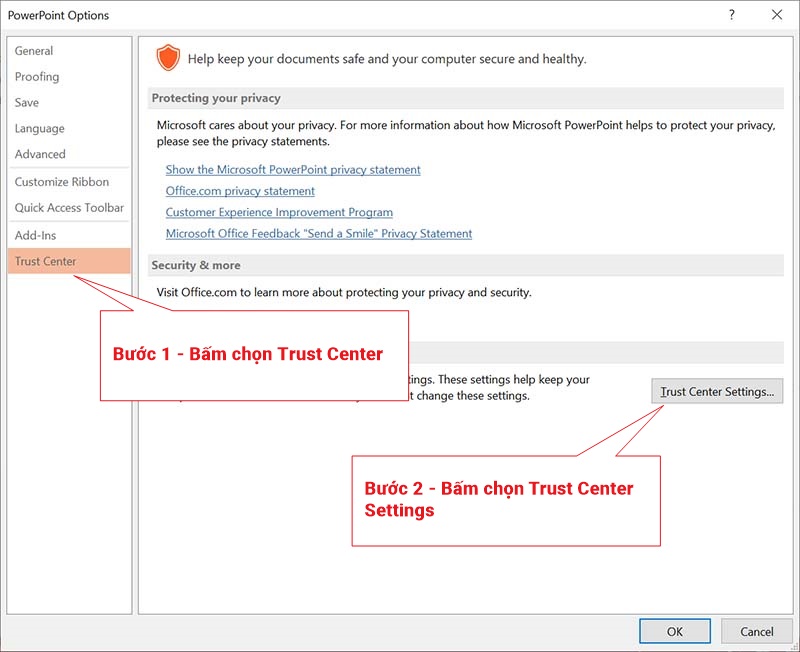
– Bước 1: Truy cập PowerPoint Options

– Bước 2: Chọn nhóm Trust Center – Trust Center Settings
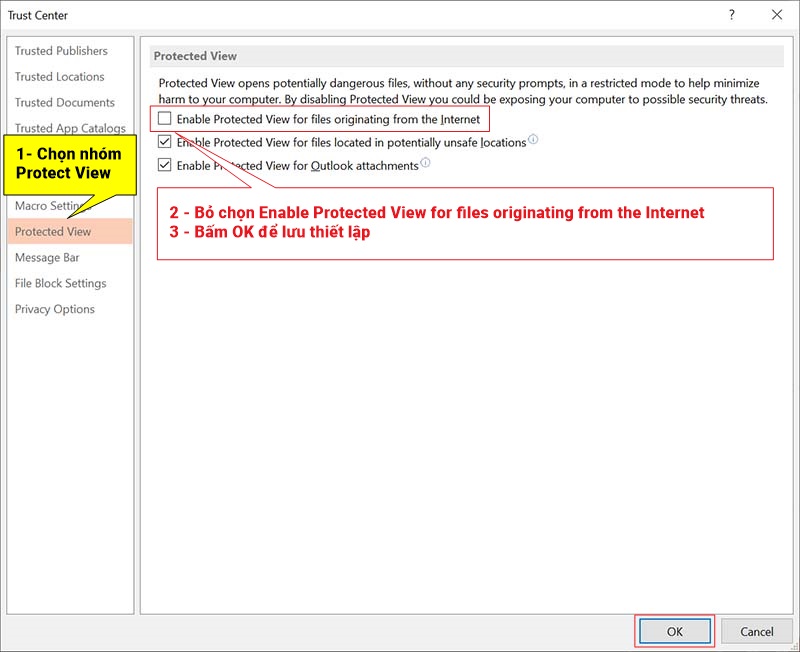
– Bước 3: Bỏ chọn “Enable Protected View for files originating from the Internet” trong PowerPoint
Phương pháp này hoàn toàn có thể áp dụng đối với tất cả phiên bản Office.